

Snapchat is one of the most popular apps for chatting and sharing pictures with friends. But sometimes, you may notice that someone stops replying or you can’t find their profile anymore. This can make you wonder—did they block you?
Don’t worry. There are a few clear signs that can help you know if someone blocked you on Snapchat. Here’s a simple guide to help you figure it out.
1. You Can’t Find Their Username
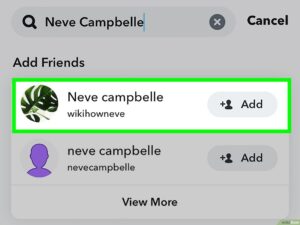
The first thing you can try is to search for their username.
Open Snapchat and type their name in the search bar.
-
If you can’t find their name or Bitmoji, it could mean two things—either they deleted their account or they blocked you.
-
To be sure, ask a mutual friend to search for their name.
If your friend can find them but you can’t, then it’s likely you’ve been blocked.
2. Your Chat With Them Disappears
If you were chatting with that person before and now your chat history is gone, this is another strong clue.
When someone blocks you on Snapchat:
-
The entire chat may disappear from your screen.
-
You won’t be able to send them new messages.
Try sending a message from the old chat if you see a message like “Failed to send,” or if the chat doesn’t even open, they may have blocked you.
3. You Can’t See Their Snap Score
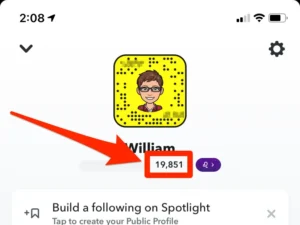
Every Snapchat user has a Snap Score, which shows under their profile.
If you can no longer see their score, but you used to, this is another hint.
-
If someone removes you as a friend, you might still see their username but not the score.
-
But if they block you, you won’t see their name, profile, or score at all.
4. They’re Missing From Your Friends List
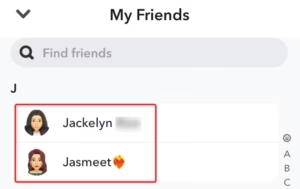
Go to your Friends List and scroll through.
If their name used to be there but is now gone, they could have removed or blocked you.
To confirm, you can also check your “Add Friends” list. If you see the “Add” button next to their name, it means you’re not friends anymore.
But if you can’t even find their name there, blocking is more likely.
5. You Can’t Send Them Snaps or Messages
When you’re blocked, Snapchat will stop your messages or snaps from reaching that person.
You might try to send a snap, but it never shows “Delivered.” It just stays stuck as if it didn’t go through.
If this keeps happening, it’s another sign that the person may have blocked you.
6. Check With Another Account
If you really want to know, the easiest way is to check using another account.
Log in from a friend’s Snapchat or create a new one.
Search for the person’s username again.
-
If the name appears from the other account but not from yours, then yes—you’ve been blocked.
7. Remember, It Might Not Be Personal
Getting blocked can feel bad, but it doesn’t always mean someone is angry.
Sometimes people take a break from social media, delete their account, or make a new one.
So before you worry too much, keep in mind that there could be other reasons too.
Final Thoughts
Now you know how to tell if someone blocked you on Snapchat.
Look for a mix of signs: disappearing chats, missing profiles, no Snap Score, and undelivered messages.
If most of these signs match, it’s safe to say you’ve been blocked.
The best thing to do is move on and stay positive—there are many more friends waiting to snap with you!

